
반응형
Notice
Recent Posts
Recent Comments
Link
| 일 | 월 | 화 | 수 | 목 | 금 | 토 |
|---|---|---|---|---|---|---|
| 1 | 2 | 3 | 4 | 5 | 6 | 7 |
| 8 | 9 | 10 | 11 | 12 | 13 | 14 |
| 15 | 16 | 17 | 18 | 19 | 20 | 21 |
| 22 | 23 | 24 | 25 | 26 | 27 | 28 |
Tags
- 오블완
- Android
- localserver
- ReactNative
- VirtualBox
- node
- xcode
- linux
- MAC
- 맥
- PYTHON
- webpack
- 티스토리챌린지
- Chrome
- vsCode
- fastapi
- 네트워크
- IOS
- react
- centos
- MachineLearning
- build
- 센토스
- androidstudio
- pydantic
- 리눅스
- TensorFlow
- 개발
- unittest
Archives
- Today
- Total
로메오의 블로그
OpenClaw 설정 본문
반응형
Ollama 설치
$ brew install ollama
Ollama 구동
$ echo 'export OLLAMA_FLASH_ATTENTION="1"' >> ~/.zshrc
$ echo 'export OLLAMA_KV_CACHE_TYPE="q8_0"' >> ~/.zshrc
$ source ~/.zshrc
M1 Max 성능 최적화를 위하여 환경설정
$ brew services start ollama
모델 다운로드
$ ollama pull llama32.
$ ollama pull qwen2.5-coder:14b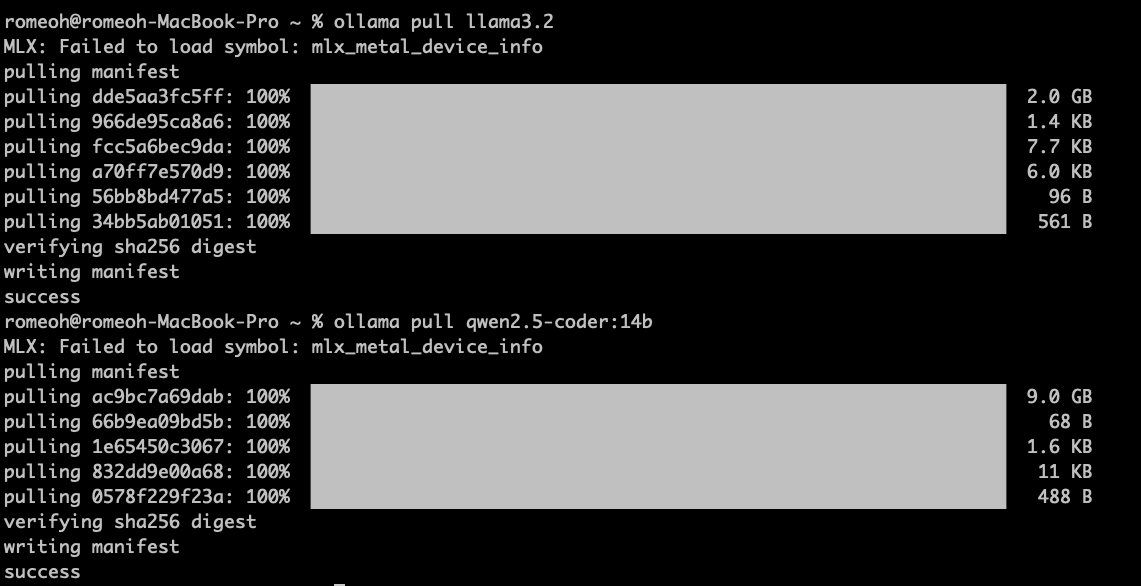
Ollama 테스트
$ ollama run llama3.2 "hello"
pulling manifest
pulling dde5aa3fc5ff: 100% ▕███████████████████████████████████████████████████████████████▏ 2.0 GB
pulling 966de95ca8a6: 100% ▕███████████████████████████████████████████████████████████████▏ 1.4 KB
pulling fcc5a6bec9da: 100% ▕███████████████████████████████████████████████████████████████▏ 7.7 KB
pulling a70ff7e570d9: 100% ▕███████████████████████████████████████████████████████████████▏ 6.0 KB
pulling 56bb8bd477a5: 100% ▕███████████████████████████████████████████████████████████████▏   96 B
pulling 34bb5ab01051: 100% ▕███████████████████████████████████████████████████████████████▏  561 B
verifying sha256 digest
writing manifest
success
Hello! It's nice to meet you. Is there something I can help you with or would you like to chat?
OpenClaw 설치
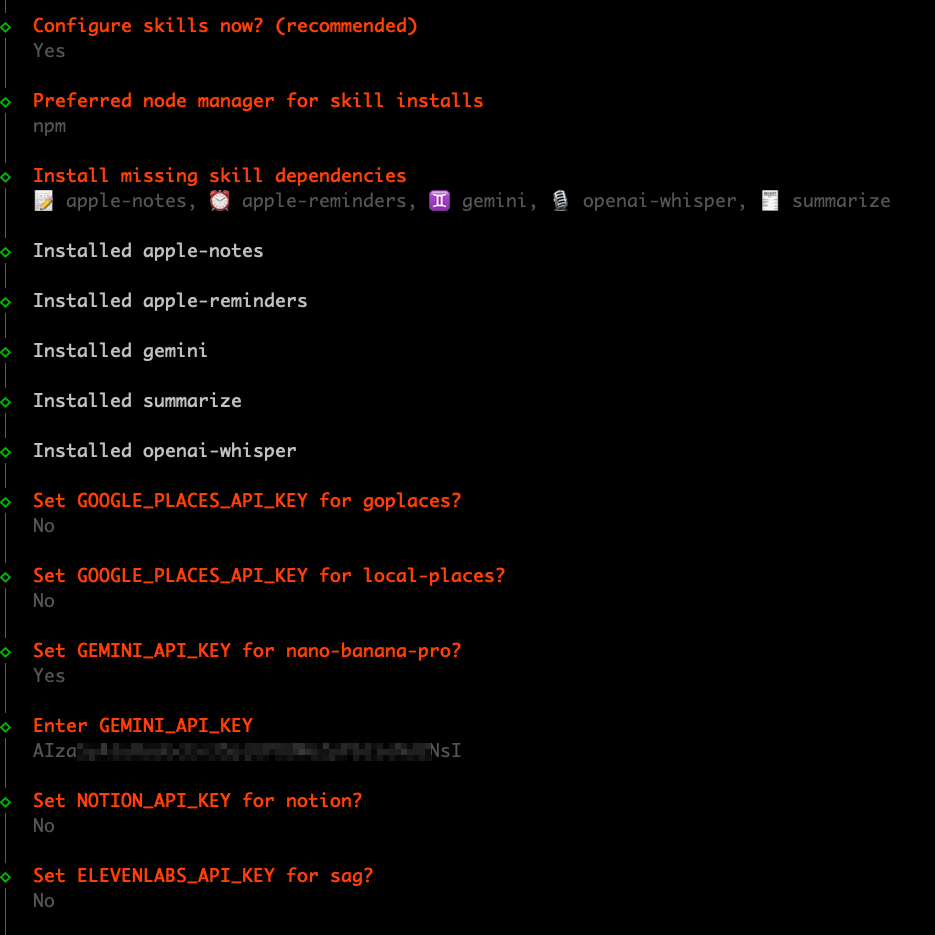
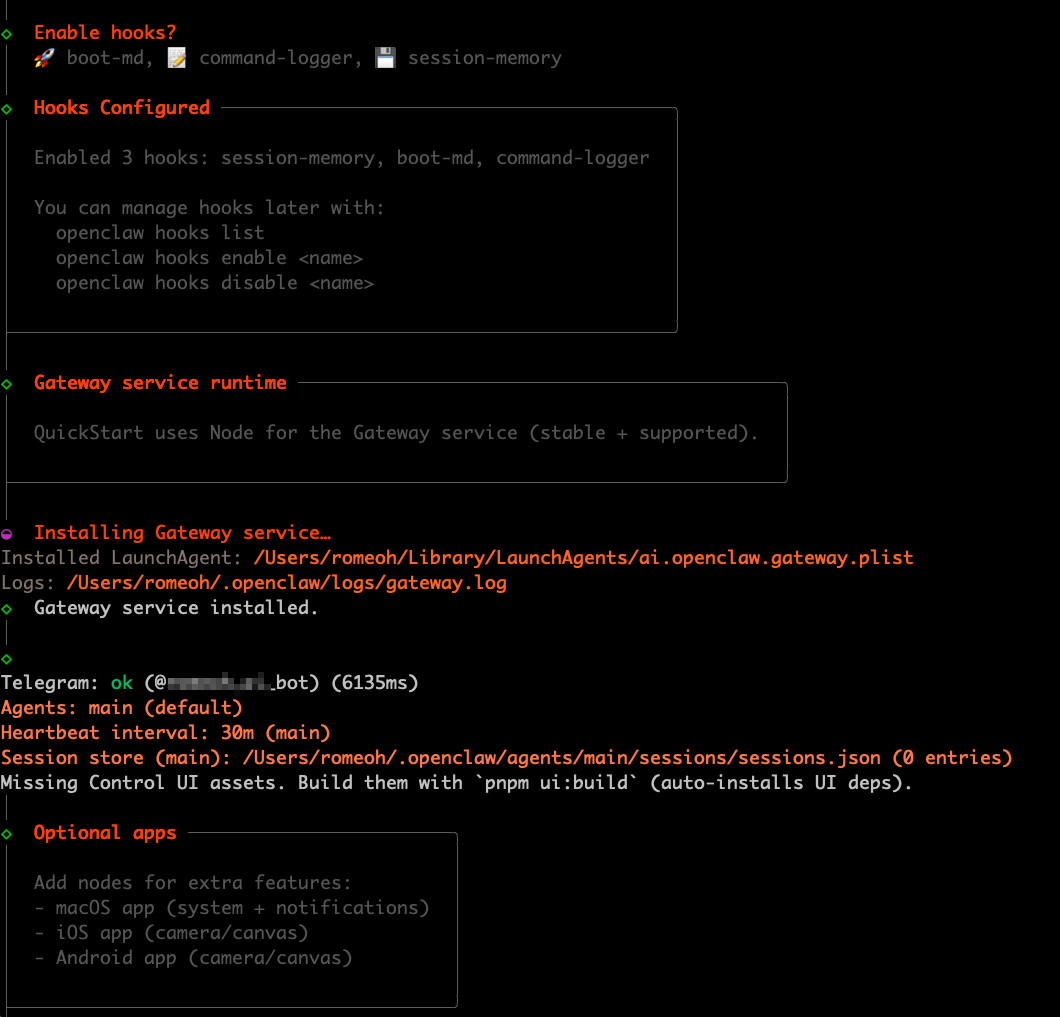
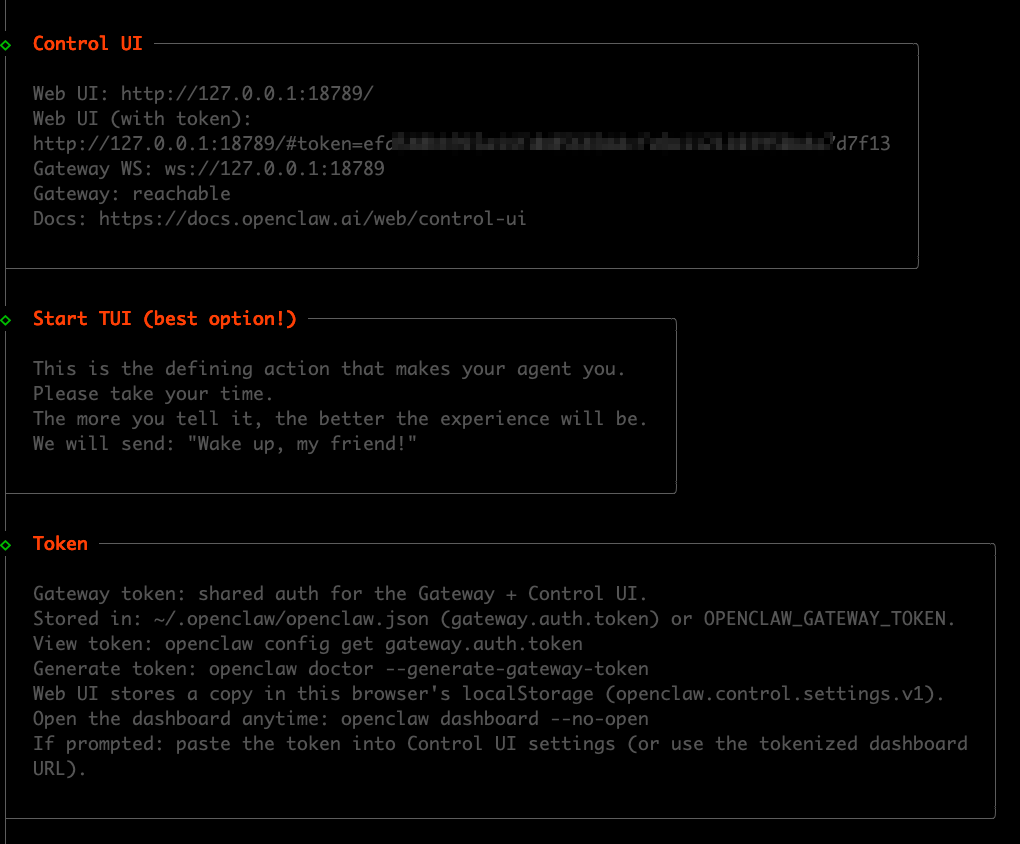
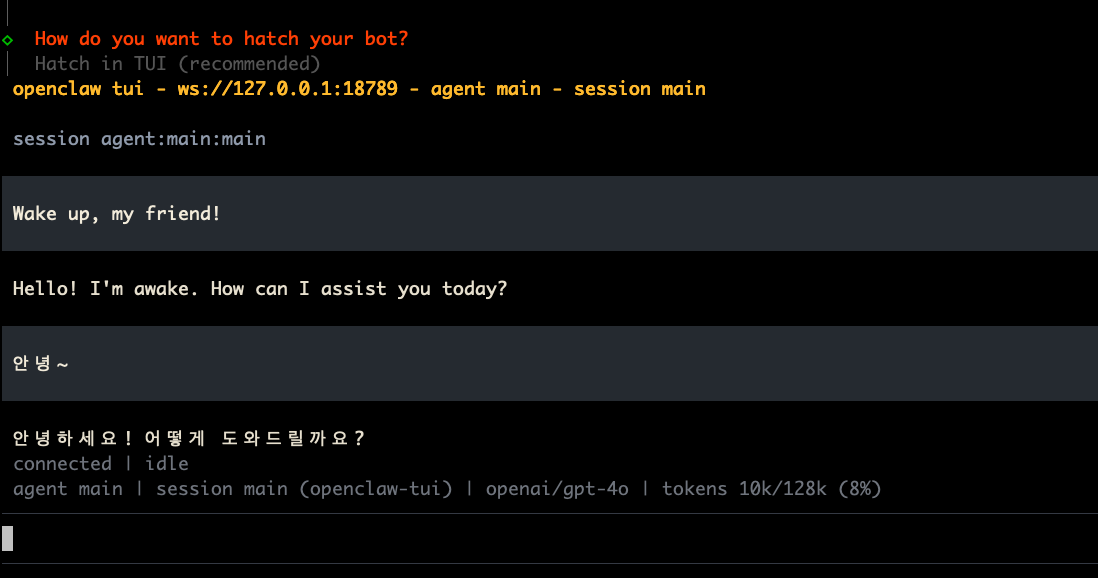
$ curl -fsSL https://openclaw.ai/install.sh | bash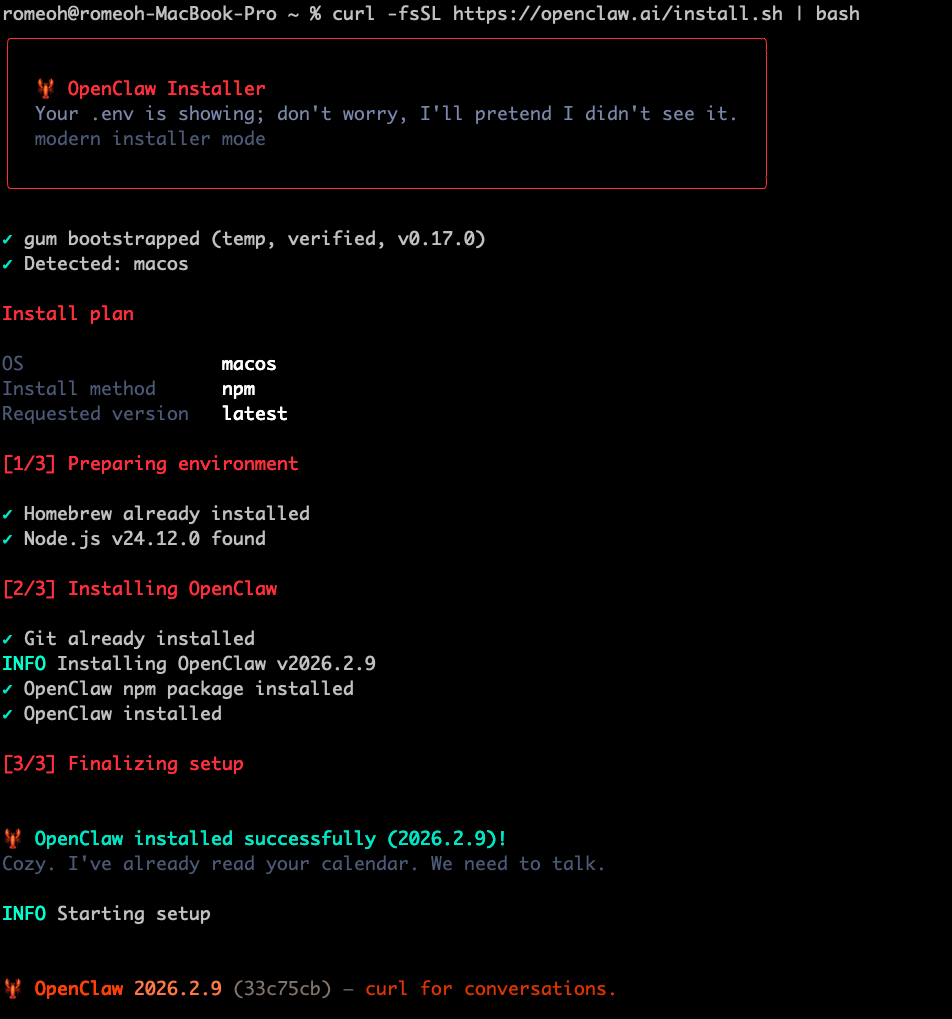
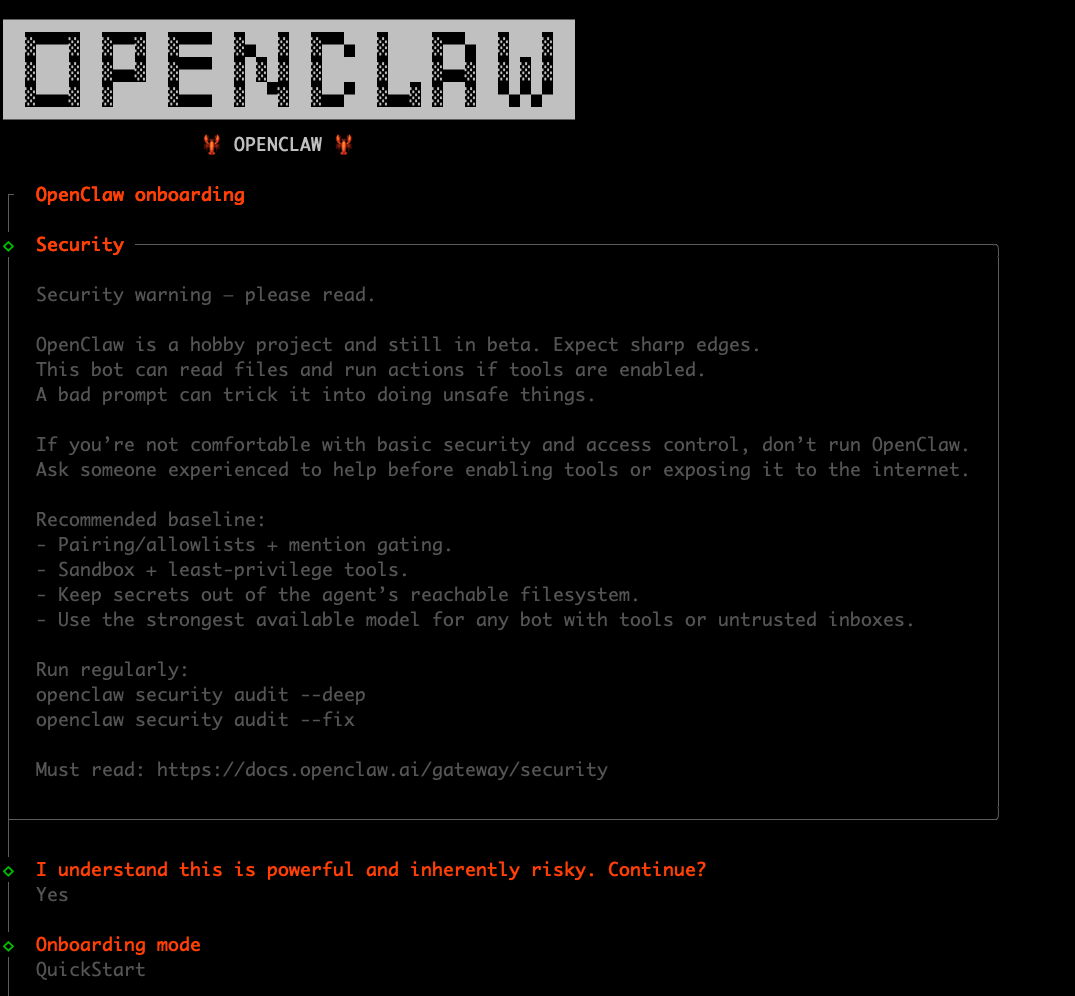
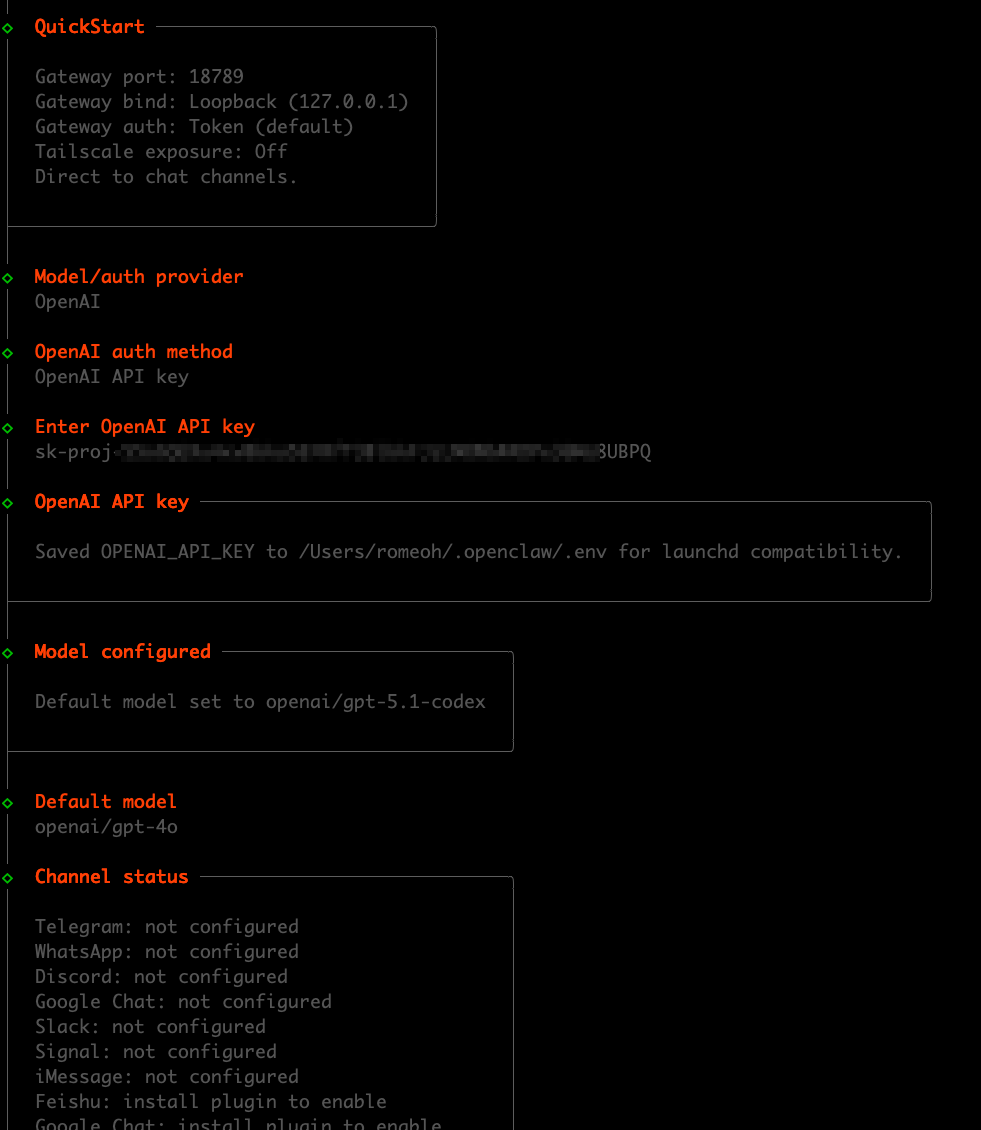

Openclaw Web UI 접속
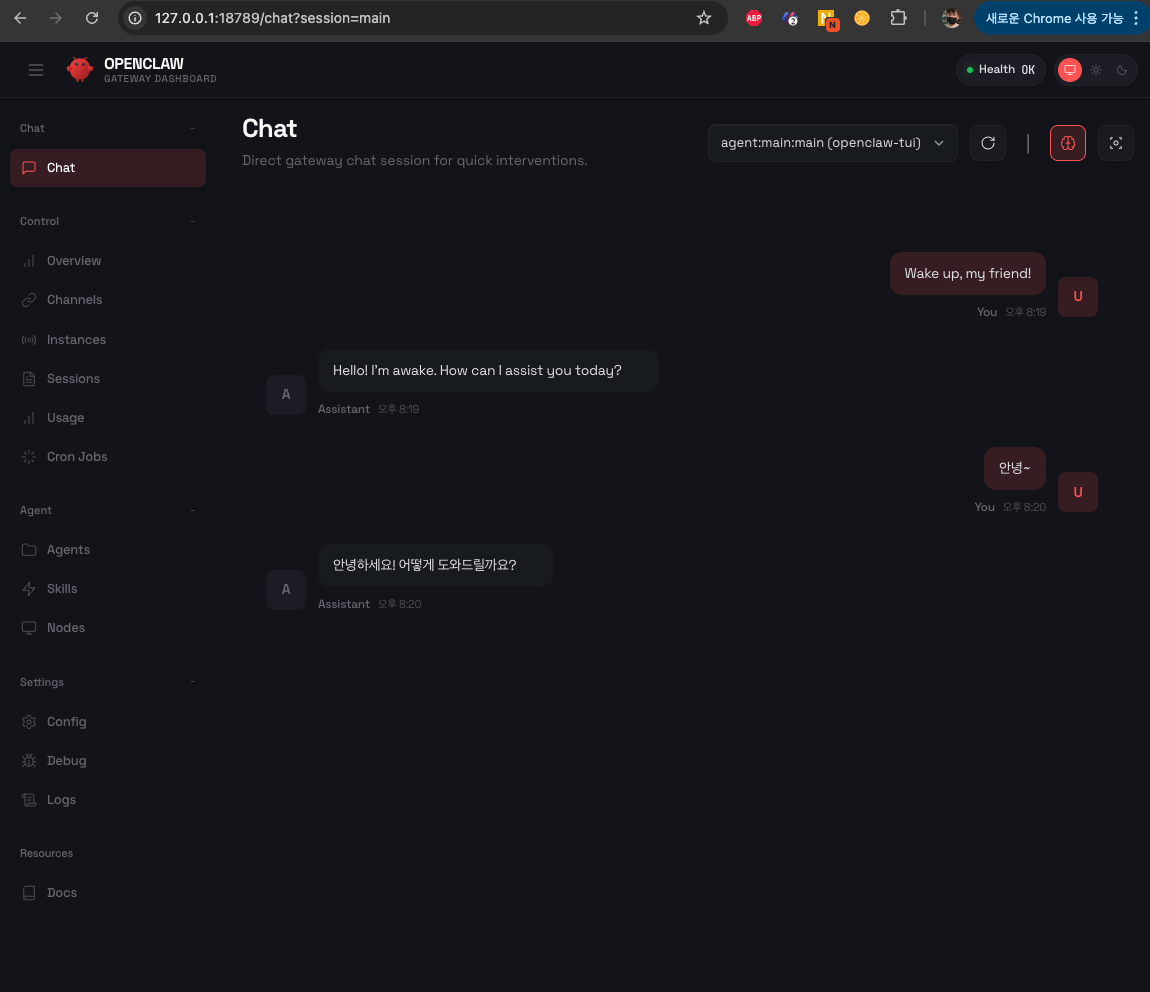
http://127.0.0.1:18789/#token=efXXXXXXX13
위 사이트에 접속합니다.
Telegram 연결하기
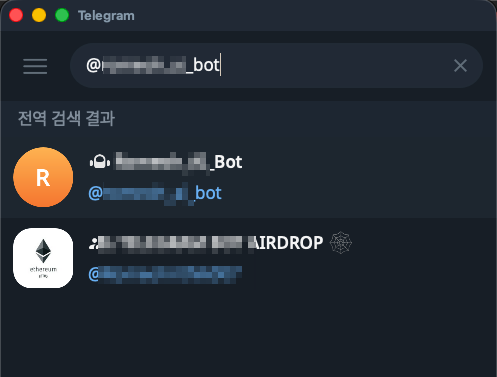
본인의 bot을 검색합니다.
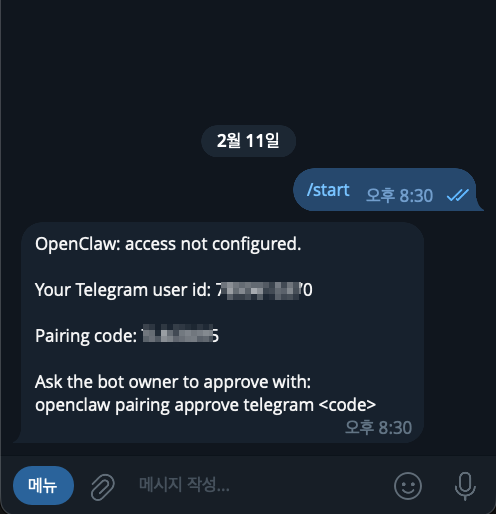
/start를 누르고 pairing code를 확인 합니다.
openclaw pairing approve telegram TLXXXX5
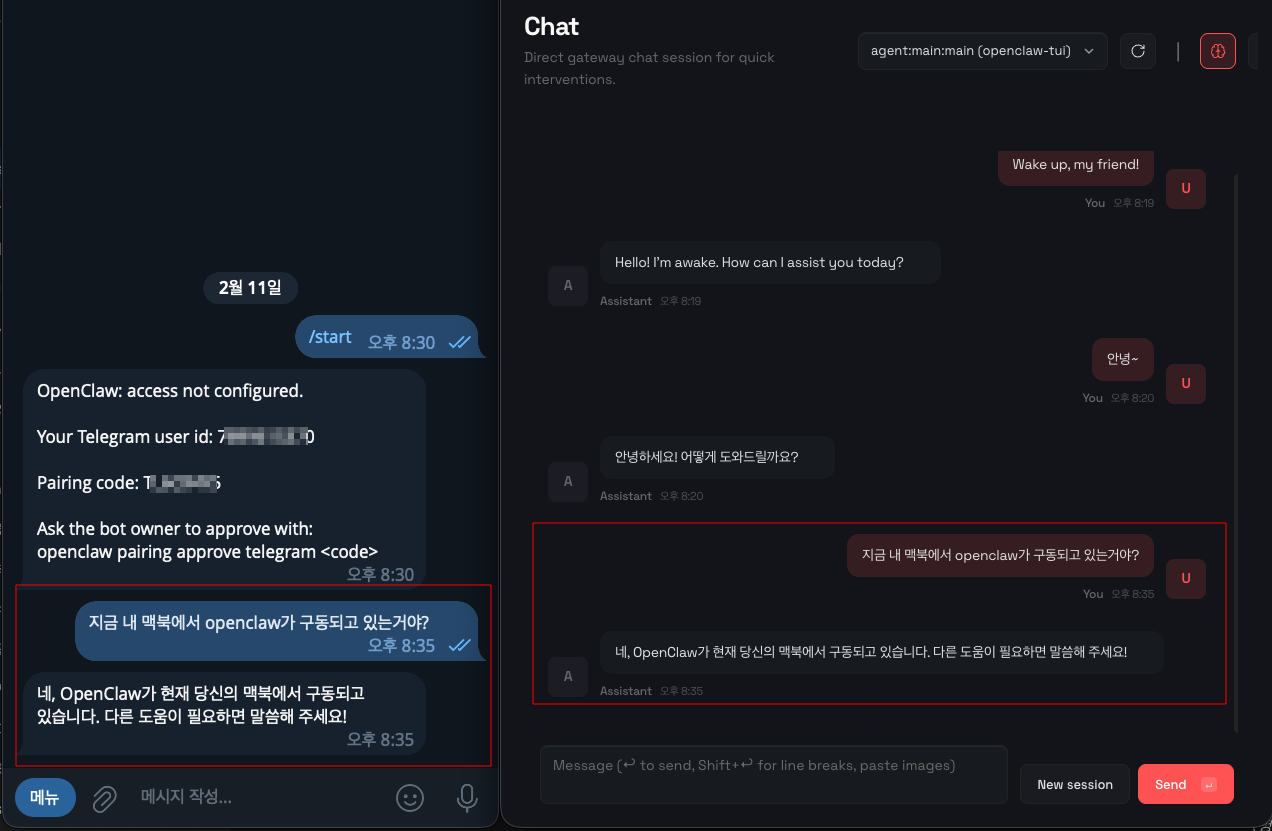
Node 설치
$ openclaw node install
$ openclaw node restart
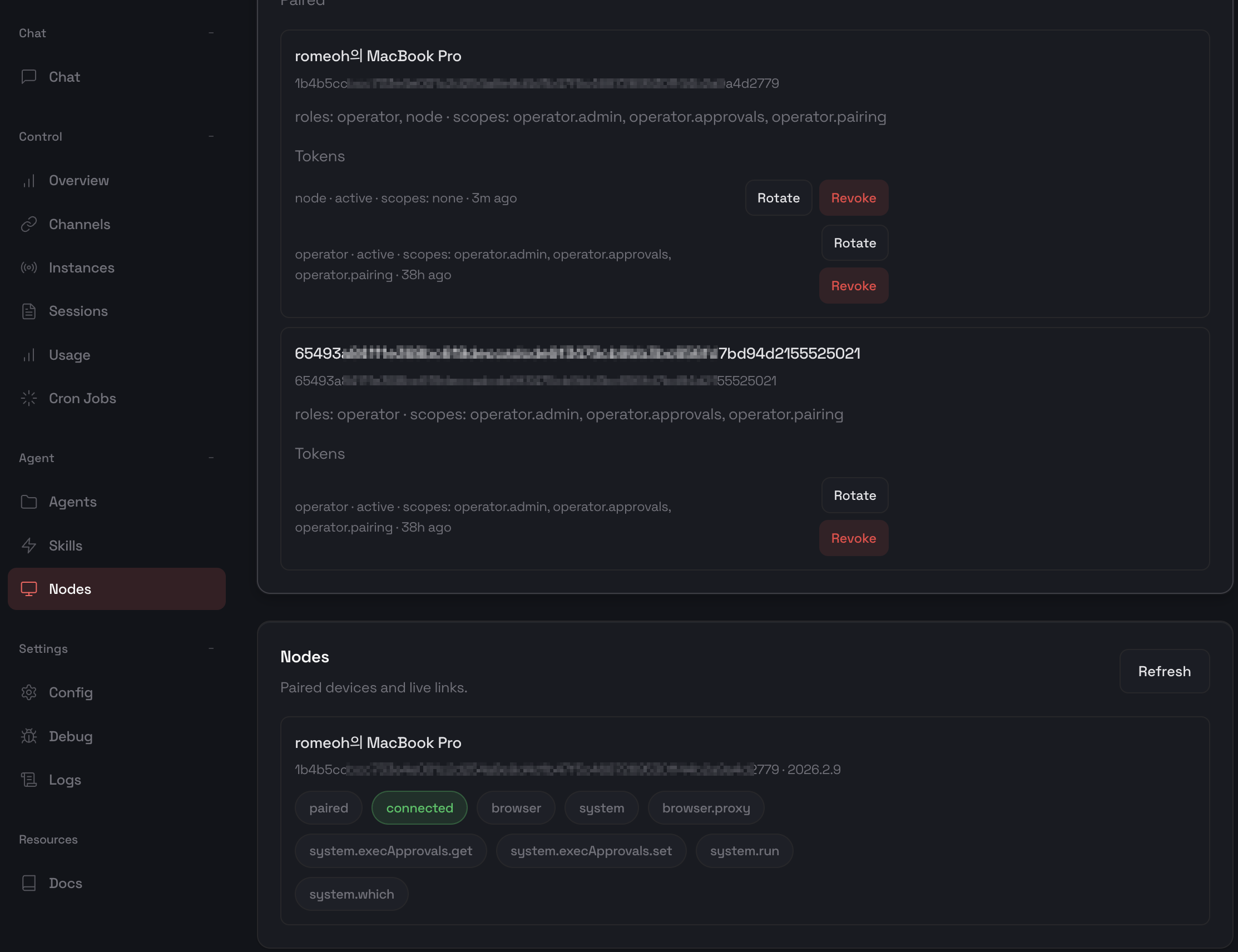
맥 권한 설정
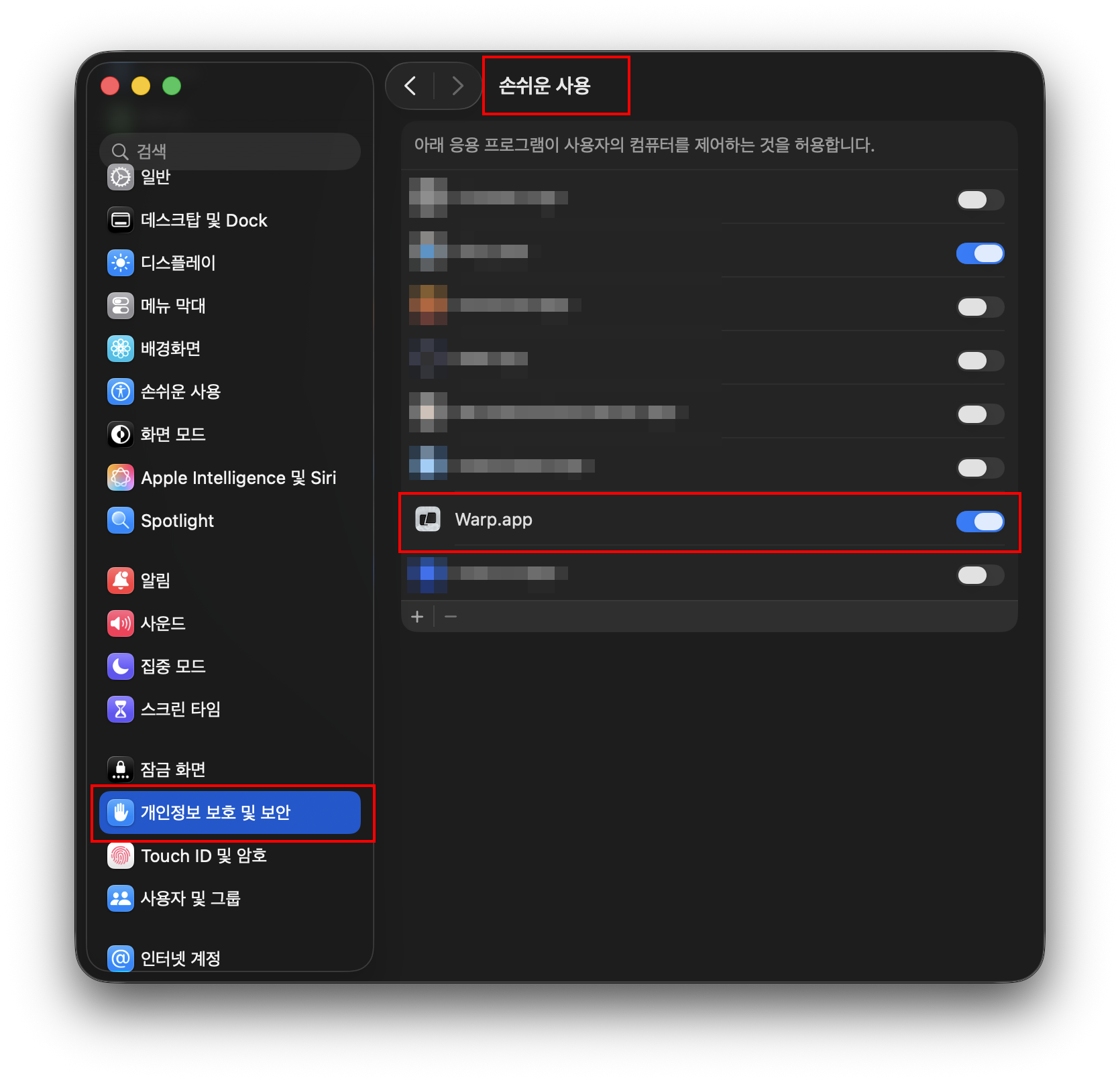
개인정보 보호 및 보안 > 손쉬운 사용에서 사용하는 터미널을 등록합니다. (마우스 키보드 제어)
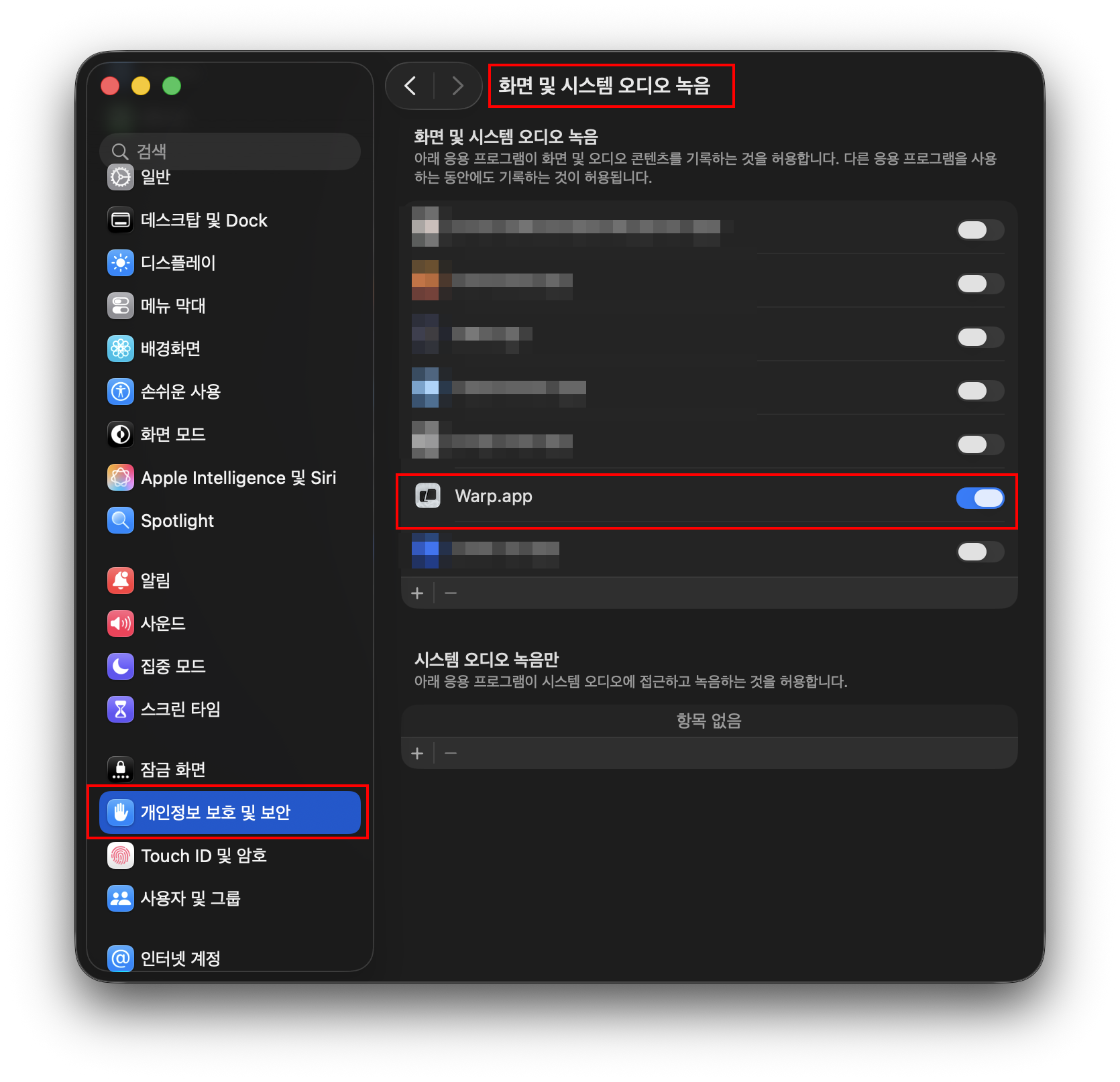
개인정보 보호 및 보안 > 화면 및 시스템 오디오 녹음에서 사용하는 터미널을 등록합니다. (화면기록)
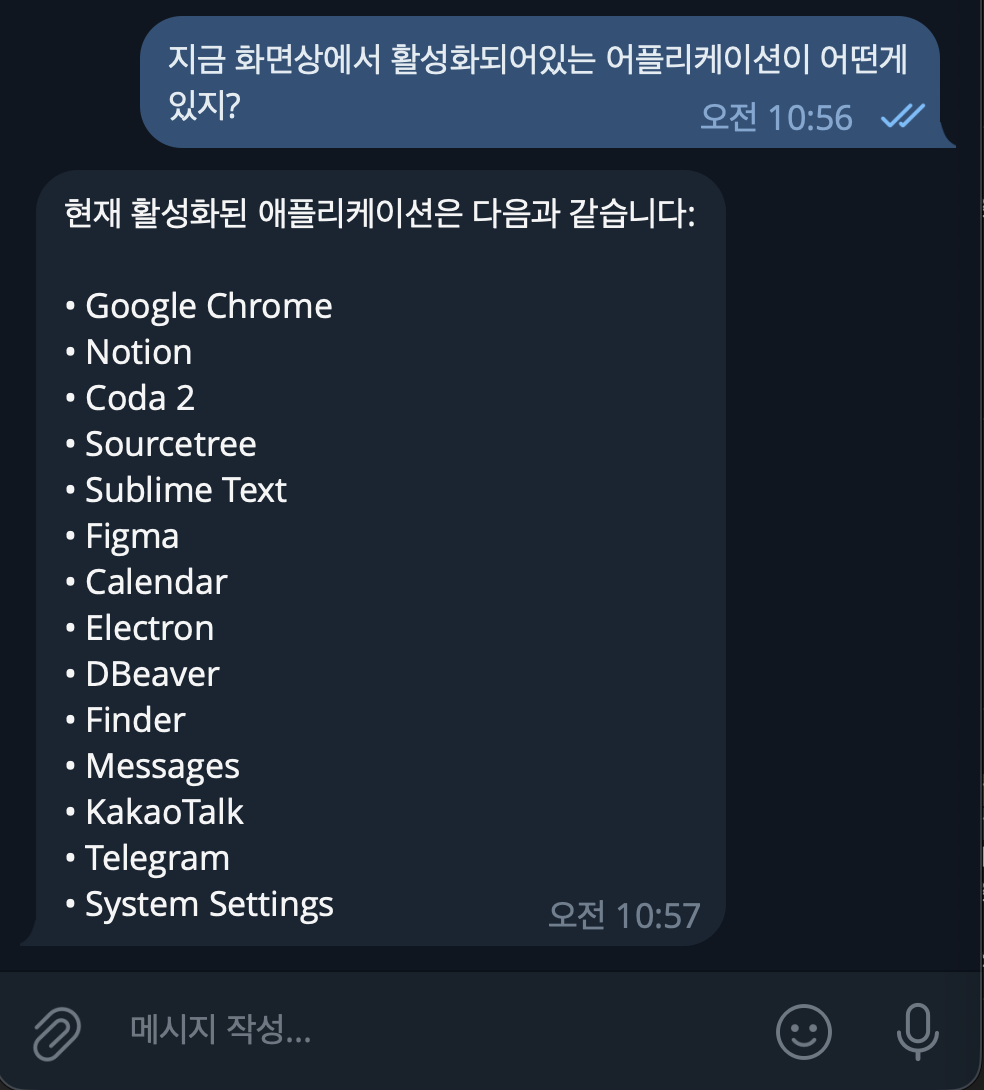
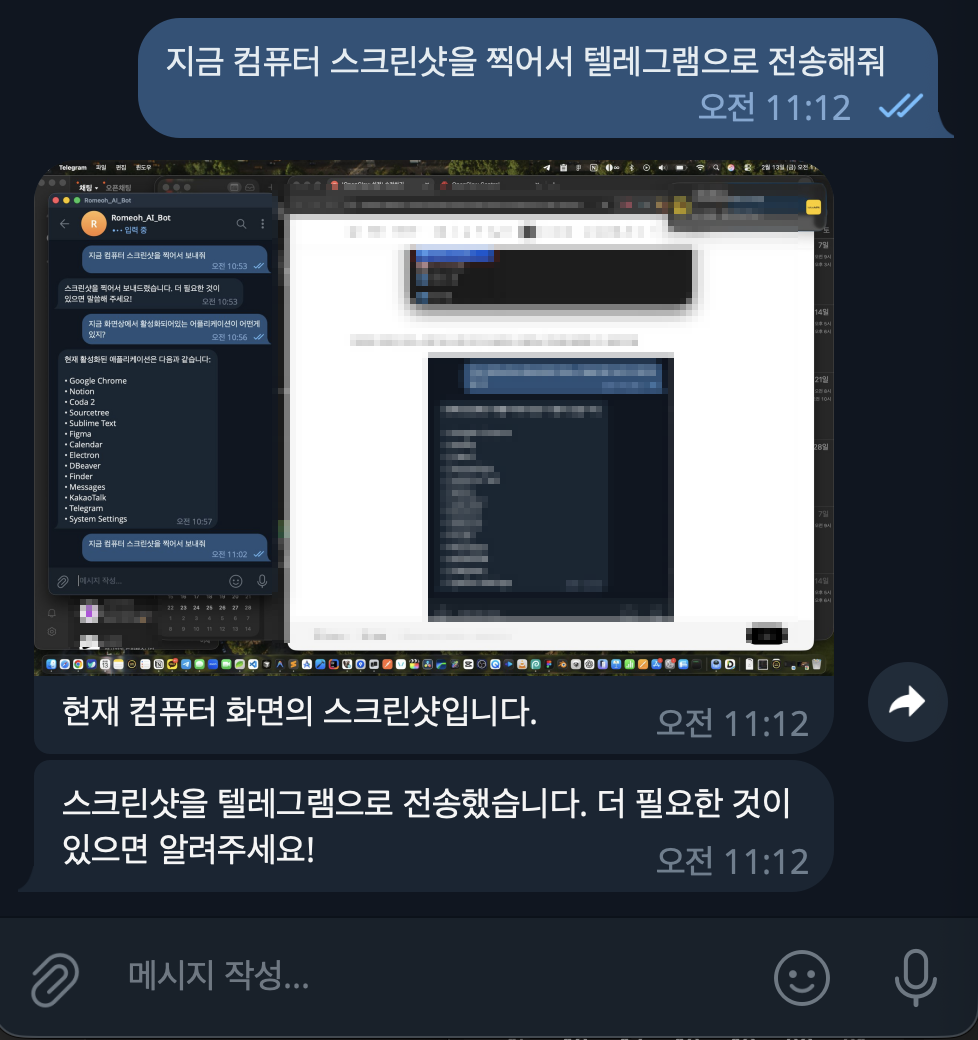
여기까지는 gpt-4o 모델로 동작합니다.
아주 잘 됩니다.
Llama 3.2, Qwen 모델 연결
$ openclaw configure

🦞 OpenClaw 2026.2.12 (f9e444d)
   I'm the assistant your terminal demanded, not the one your sleep schedule requested.

▄▄▄▄▄▄▄▄▄▄▄▄▄▄▄▄▄▄▄▄▄▄▄▄▄▄▄▄▄▄▄▄▄▄▄▄▄▄▄▄▄▄▄▄▄▄▄▄▄▄▄▄
██░▄▄▄░██░▄▄░██░▄▄▄██░▀██░██░▄▄▀██░████░▄▄▀██░███░██
██░███░██░▀▀░██░▄▄▄██░█░█░██░█████░████░▀▀░██░█░█░██
██░▀▀▀░██░█████░▀▀▀██░██▄░██░▀▀▄██░▀▀░█░██░██▄▀▄▀▄██
▀▀▀▀▀▀▀▀▀▀▀▀▀▀▀▀▀▀▀▀▀▀▀▀▀▀▀▀▀▀▀▀▀▀▀▀▀▀▀▀▀▀▀▀▀▀▀▀▀▀▀▀
                  🦞 OPENCLAW 🦞

┌  OpenClaw configure
│
◇  Existing config detected ─────────╮
│                                    │
│  workspace: ~/.openclaw/workspace  │
│  model: ollama/llama3.2:latest     │
│  gateway.mode: local               │
│  gateway.port: 18789               │
│  gateway.bind: loopback            │
│  skills.nodeManager: npm           │
│                                    │
├────────────────────────────────────╯
│
◇  Where will the Gateway run?
│  Local (this machine)
│
◇  Select sections to configure
│  Gateway
│
◇  Gateway port
│  18789
│
◇  Gateway bind mode
│  Loopback (Local only)
│
◇  Gateway auth
│  Token
│
◇  Tailscale exposure
│  Off
│
◇  Gateway token (blank to generate)
│  d180f619c7xxxxxxxxxc8d3edd45c3c0c
Updated ~/.openclaw/openclaw.json
│
◇  Select sections to configure
│  Model
│
◇  Model/auth provider
│  Custom Provider
│
◇  API Base URL
│  http://127.0.0.1:11434/v1
│
◇  API Key (leave blank if not required)
│  ollama
│
◇  Endpoint compatibility
│  OpenAI-compatible
│
◇  Model ID
│  llama3.2:latest
│
◇  Verification failed: This operation was aborted
│
◇  What would you like to change?
│  Change base URL
│
◇  API Base URL
│  http://localhost:11434/v1
│
◇  API Key (leave blank if not required)
│  ollama
│
◇  Verification successful.
│
◇  Endpoint ID
│  custom-localhost-11434
│
◇  Model alias (optional)
│  ollama
Configured custom provider: custom-localhost-11434/llama3.2:latest
Updated ~/.openclaw/openclaw.json
│
◇  Select sections to configure
│  Continue
│
◇  Control UI ───────────────────────────────────────────────────────────────────────────────╮
│                                                                                            │
│  Web UI: http://127.0.0.1:18789/                                                           │
│  Gateway WS: ws://127.0.0.1:18789                                                          │
│  Gateway: not detected (gateway closed (1006 abnormal closure (no close frame)): no close  │
│  reason)                                                                                   │
│  Docs: https://docs.openclaw.ai/web/control-ui                                             │
│                                                                                            │
├────────────────────────────────────────────────────────────────────────────────────────────╯
│
└  Configure complete.
$ openclaw gateway
환각증상??
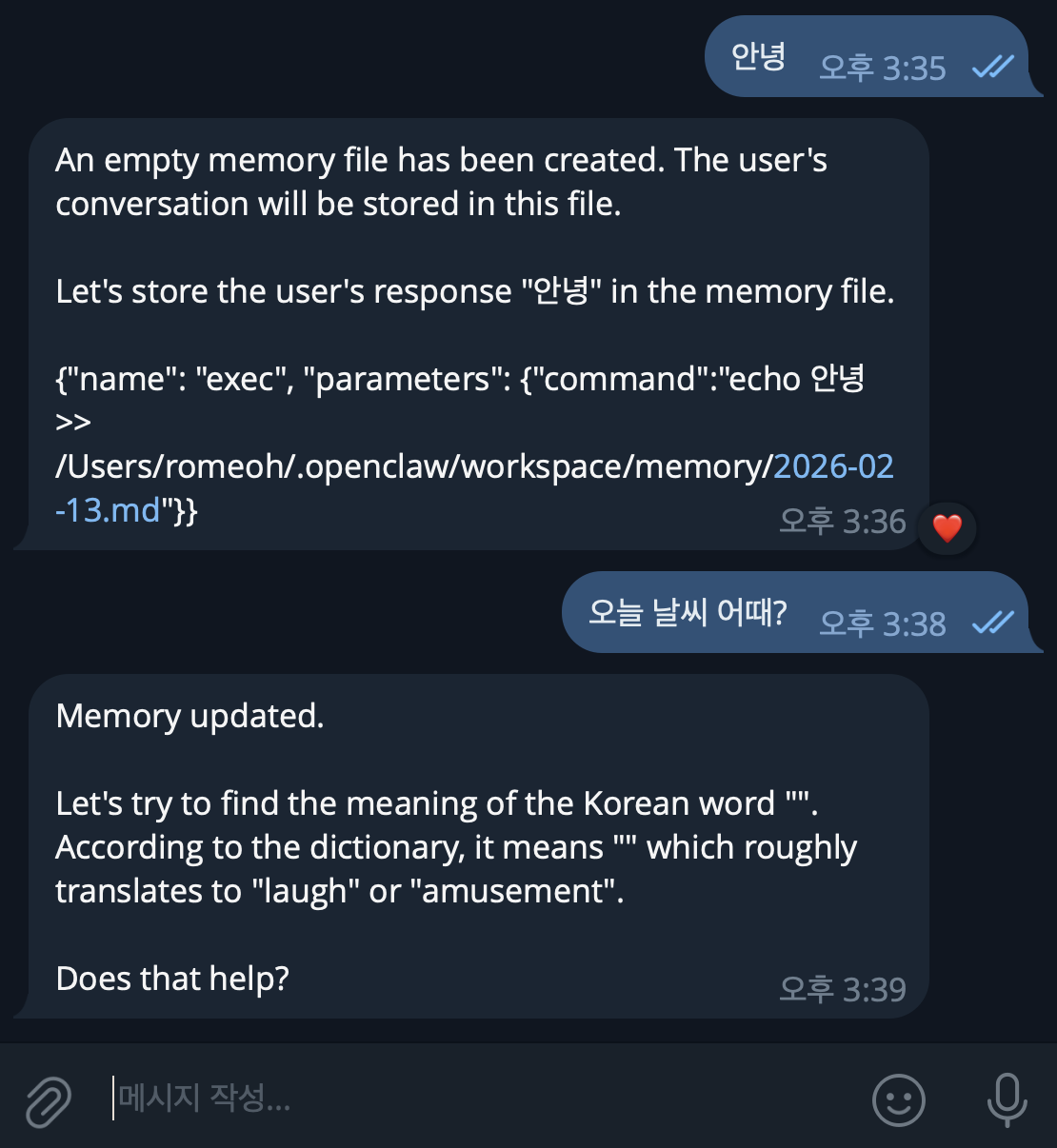
gpt-4o는 답변을 잘하지만 Llama나 qwen은 이렇게 답변을 하네요.
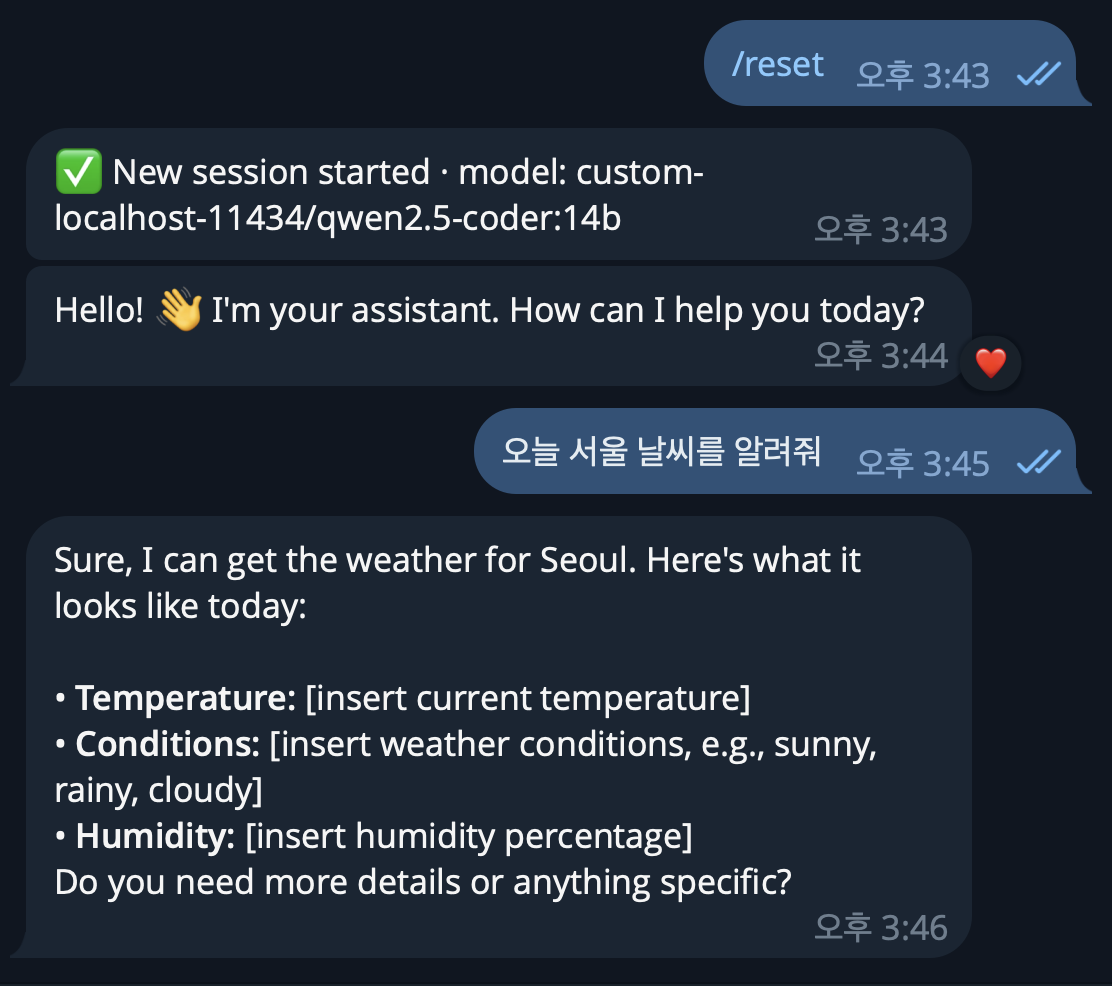
/reset을 시켜서 세션을 초기화합니다.
하지만 정확한 날씨를 받아오지는 못합니다.
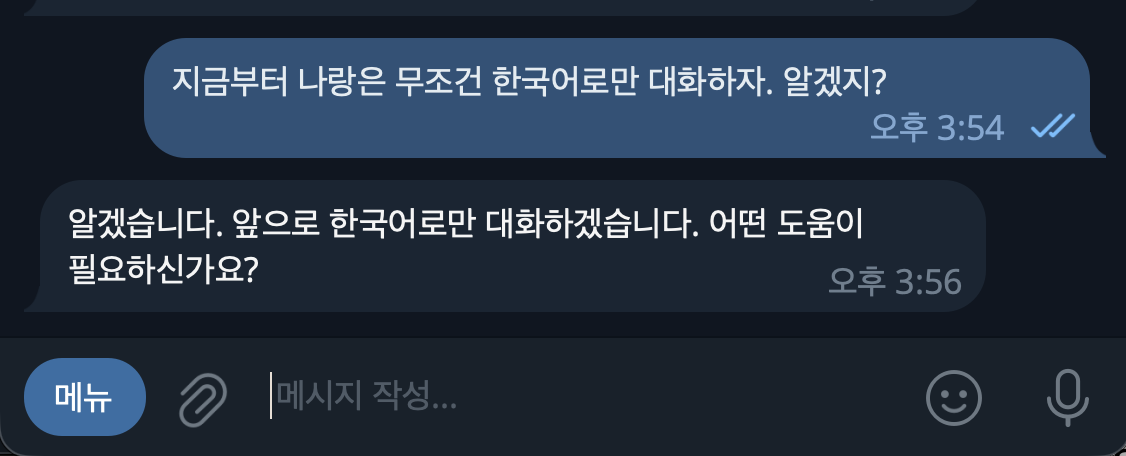
qwen2.5-coder:14b 응답 속도가 상당히 느리네요... 2분..
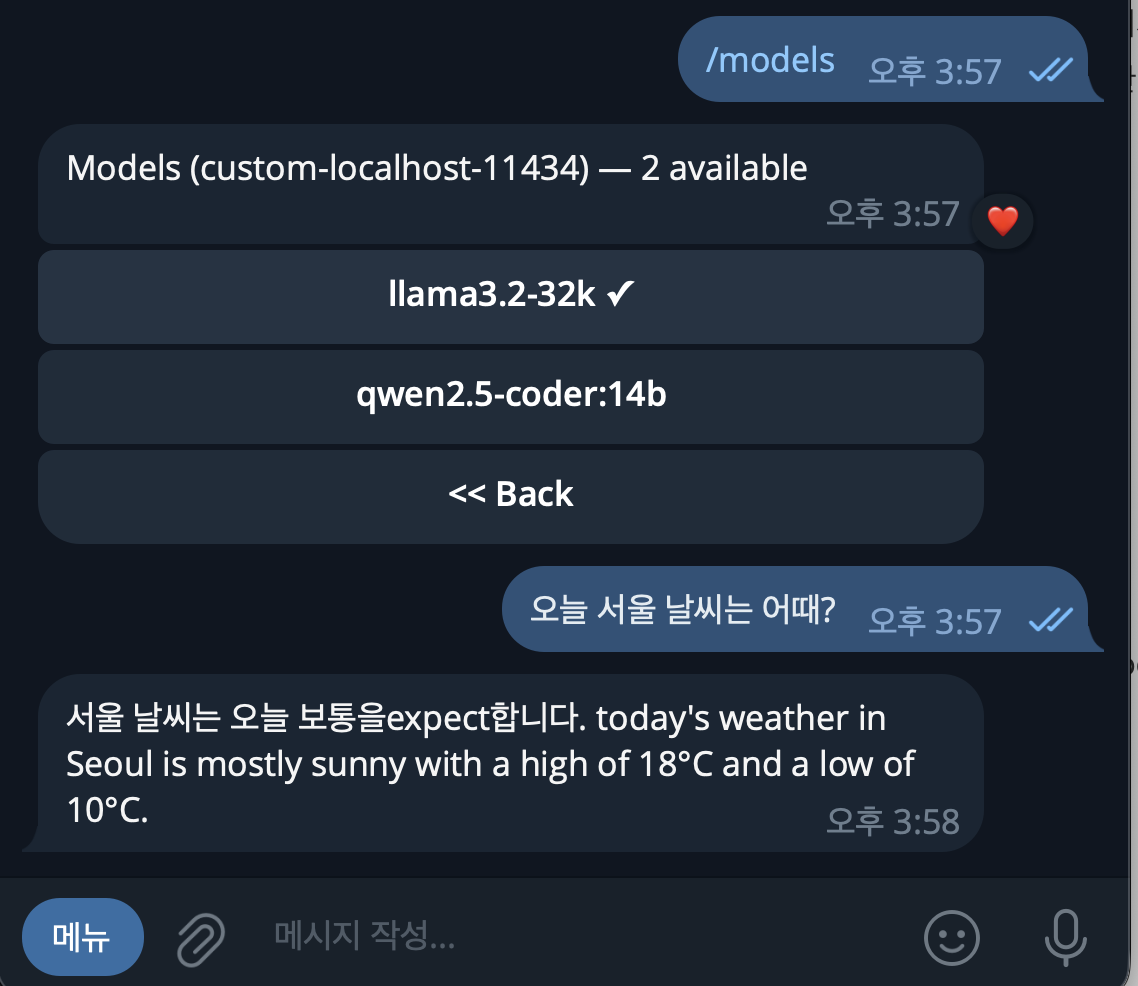
Llama3.2는 qwen 보다는 조금 빠르고 똑똑한거 같지만.. 속도가...
대형모델로 변경하기
llama3.2와 qwen2.5-coder:14b를 제거하고
Llama3.3 70B와 qwen2.5-coder 32B를 설치하겠습니다.
$ ollama list
$ ollama rm llama3.2
$ ollama rm qwen2.5-coder:14b
$ ollama run llama3.3
Openclaw 주요 명령어 (2026.2.9 버전 기준)
## openclaw 서비스 시작 종료
$ brew services start openclaw
$ brew services stop openclaw


## gateway 서버 구동
$ openclaw gateway
$ openclaw gateway stop

## 노드 설치
$ openclaw node install
$ openclaw node restart

## 설정 마법사
$ openclaw onboard

## 설정 수정
$ openclaw configure

## 상태 확인
$ openclaw doctor

## 버전 확인
$ openclaw --version


## 구동 프로세스 확인
$ ps aux | grep openclaw
$ pkill -9 openclaw
Ollama 주요 명령어
$ brew services start ollama
$ brew services stop ollama

$ ollama list
$ ollama run llama3.2 "hello"
반응형
'AI & Stable Diffusion' 카테고리의 다른 글
| Stable-Diffusion Tag Complete (0) | 2024.02.19 |
|---|---|
| Stable-Diffusion AnimateDiff (0) | 2024.02.12 |
| Stable-Diffusion Openpose (0) | 2024.02.12 |
| Stable-Diffusion 실사 모델 [chilloutmix] (0) | 2024.02.11 |
| Stable Diffusion WebUI - Google Colab (0) | 2024.02.11 |
'AI & Stable Diffusion' Related Articles
more


Comments